Mobile Asset Scanning App for QR-Based Field and Industrial Asset Tracking
TrackJi helps field, yard, depot, dispatch, and shop-floor teams scan QR-coded assets from a mobile device, perform process actions, update operational data, and build lifecycle history without waiting for desktop entry.
What is a mobile asset scanning app?
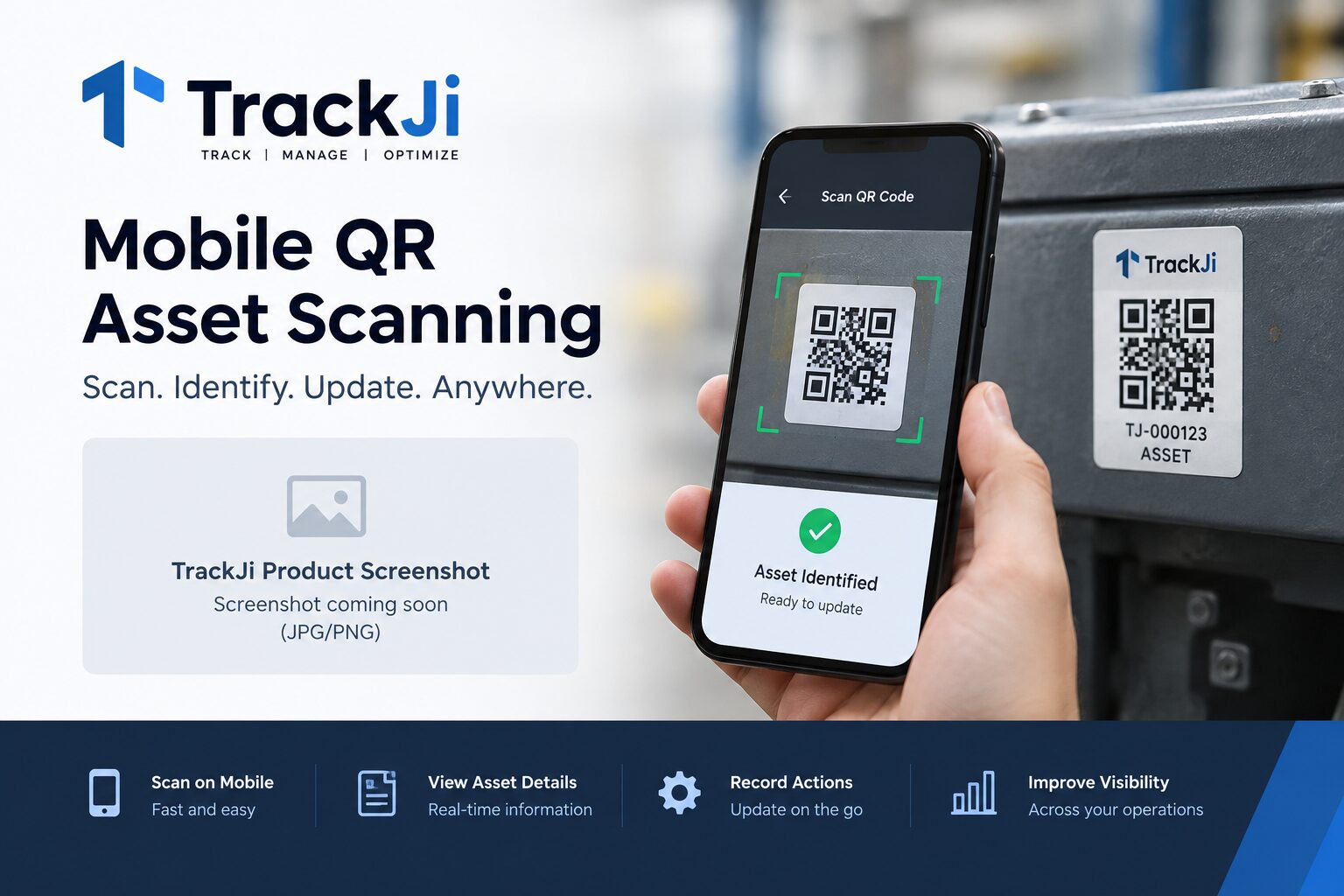
A mobile asset scanning app lets workers scan a QR code or other asset identifier using a mobile device, retrieve the correct asset record, and record operational activity at the point where the work happens. TrackJi combines mobile scanning with asset tracking so the scan can lead directly to process actions, status updates, forms, and lifecycle history.
Built for the people who touch the asset
Adoption improves when the workflow matches real operations. Mobile-first scanning supports workers in the field, on the shop floor, in the yard, and at dispatch or receive points where fast data capture matters most.
Recognize the asset quickly and retrieve its record instantly.
Reduce friction for teams that need speed, simplicity, and operational usability.
Capture events closer to the time they happen in the real workflow.
How mobile asset scanning works in TrackJi
A worker scans the asset QR code from a mobile device. TrackJi identifies the asset and presents the relevant record and permitted workflow action. The operator can then record the event without manually searching for the asset.
Scan the QR code to identify the asset and retrieve its record.
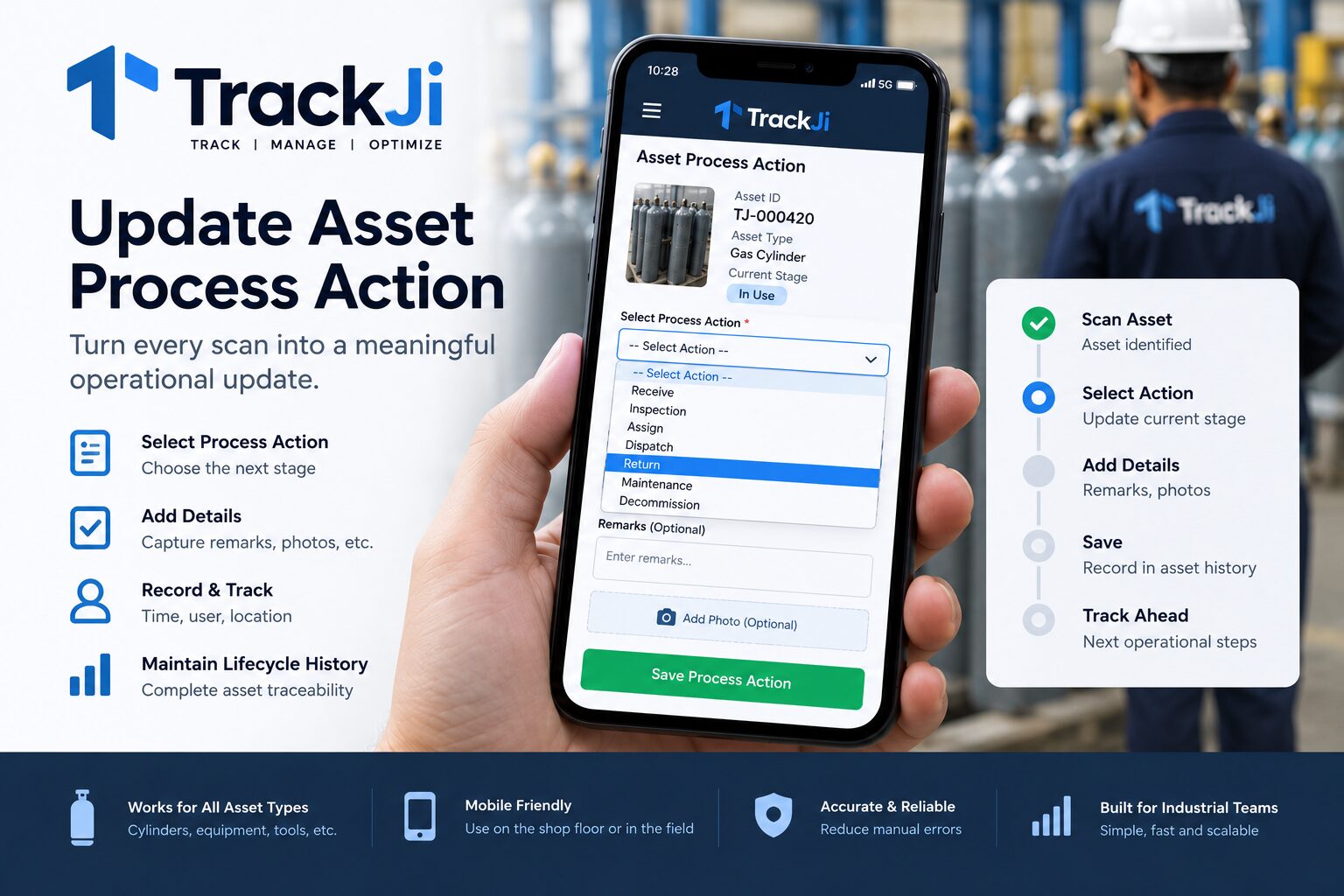
Perform the configured process action or capture the required mobile data.
Preserve the event in movement and lifecycle history for later review.
Mobile asset forms and field data capture
Mobile asset tracking is more useful when the scan leads to the operational information required by the workflow. TrackJi can support configured process actions and asset updates so teams can capture information while handling the physical asset instead of recording it separately for later entry.
This is useful for inspections, verification, dispatch, receipt, movement, service, audit, and other workflows where asset identity and field data need to remain connected.
Why mobile asset tracking matters
Delayed updates often create data gaps. When asset events are captured on mobile at the point of dispatch, receipt, verification, inspection, or field movement, records stay closer to the real operational event.
For movement-heavy environments, this improves lifecycle visibility and reduces reliance on paper, memory, and later desktop entry.
Common mobile asset tracking use cases
Field teams: Update movement and status from customer or remote sites.
Shop floors: Record process-stage events on the floor instead of later.
Depots and yards: Handle issue, receipt, and transfer events more quickly.
Service workflows: Capture maintenance, inspection, and verification activity.
Returnable assets: Support repeated loop tracking through mobile scans.
Benefits of mobile-led workflows
Faster updates: Teams can capture asset events with less delay.
Better usability: Reduce typing and simplify the workflow for operators.
Higher data freshness: Record events close to when they happen.
Improved lifecycle records: Build better movement and status history over time.
Operational fit: Support real working conditions instead of office-only processes.
TrackJi mobile asset tracking at a glance
Identification: QR-based asset identity and mobile scanning.
Workflow: Scan-driven process actions and status updates.
Field data: Capture operational information closer to the asset.
History: Preserve movement and lifecycle events over time.
Operations: Field, plant, depot, yard, dispatch, receipt, inspection, and service.
Bulk work: Support for scanning multiple assets in operational workflows.
Connectivity: Offline scan queue support for mobile operations.
Entry plan: Free for up to 1,000 active assets.
Frequently asked questions
What is a mobile asset tracking app?
It is an app or system that lets users identify, scan, update, and trace assets from a phone or mobile device.
Why is mobile asset tracking useful?
It helps teams capture events faster, reduce delays, and keep asset records more current in the field or on the floor.
Does TrackJi support scan-first mobile workflows?
Yes. TrackJi is designed for fast scan-based workflows where operational users need practical mobile-friendly updates.
Which teams benefit from this?
Field teams, yard operators, shop-floor workers, depot teams, dispatch staff, and receive teams can all benefit from mobile asset tracking.
Can TrackJi scan QR codes from a mobile device?
Yes. TrackJi supports QR-based mobile scanning so operators can identify an asset and continue into the configured operational workflow.
Can TrackJi support mobile asset forms and field updates?
TrackJi can support configured process actions and asset updates so operational information can be captured while workers are handling the physical asset.
Need a practical mobile asset workflow?
We can tailor the demo around your field, plant, yard, depot, or dispatch process.